
Download Breevy – productivity tool, typing speed, abbreviation app, time-saving app, text expansion, keyboard shortcut tool, efficiency app, custom shortcuts, smart typing, keyboard utility
Overview
Breevy is a lightweight productivity tool designed to enhance typing speed and efficiency by enabling users to create personalized abbreviations for frequently used words, phrases, or sentences. The app operates as a text expansion utility, allowing users to define custom key combinations—such as Ctrl + Space—that automatically expand into full text. This functionality is particularly useful for individuals who regularly type repetitive content, including customer support agents, content creators, and professionals managing high volumes of written communication.
By reducing the need to manually type lengthy or frequently repeated phrases, Breevy streamlines workflows and minimizes typing fatigue. The app is optimized for users seeking a seamless integration into their daily writing tasks, whether composing emails, drafting documents, or responding to common inquiries. Its minimal footprint of 4.5 MB reflects a focus on performance and resource efficiency, making it suitable for systems with limited storage or processing power.
Developed by Breevy, the application targets users who value precision, speed, and customization in their digital workflows. Although the developer did not provide additional background on its origin or team, the app’s design philosophy centers on simplicity and utility. Breevy fills a niche in the productivity ecosystem by offering a focused solution for text automation, appealing to users who prioritize efficiency over feature bloat.
Key Features & Functionality
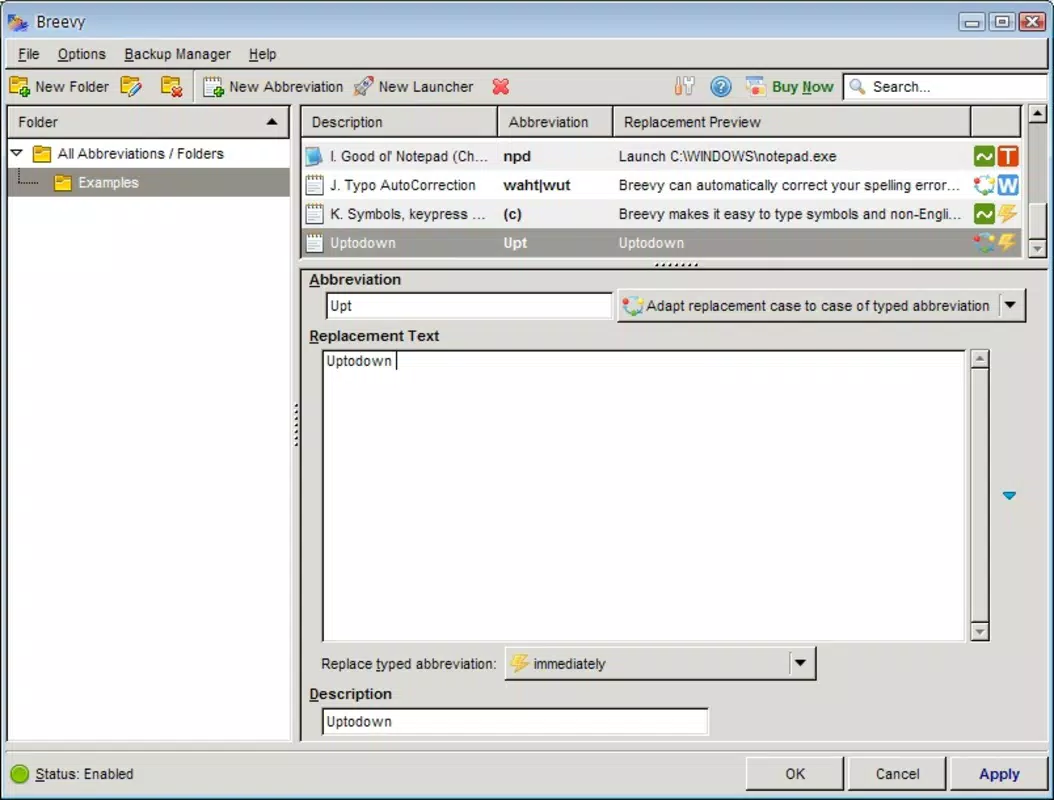
- Personalized Abbreviations – Users can define custom abbreviations for any text, from simple words to full paragraphs. For example, typing
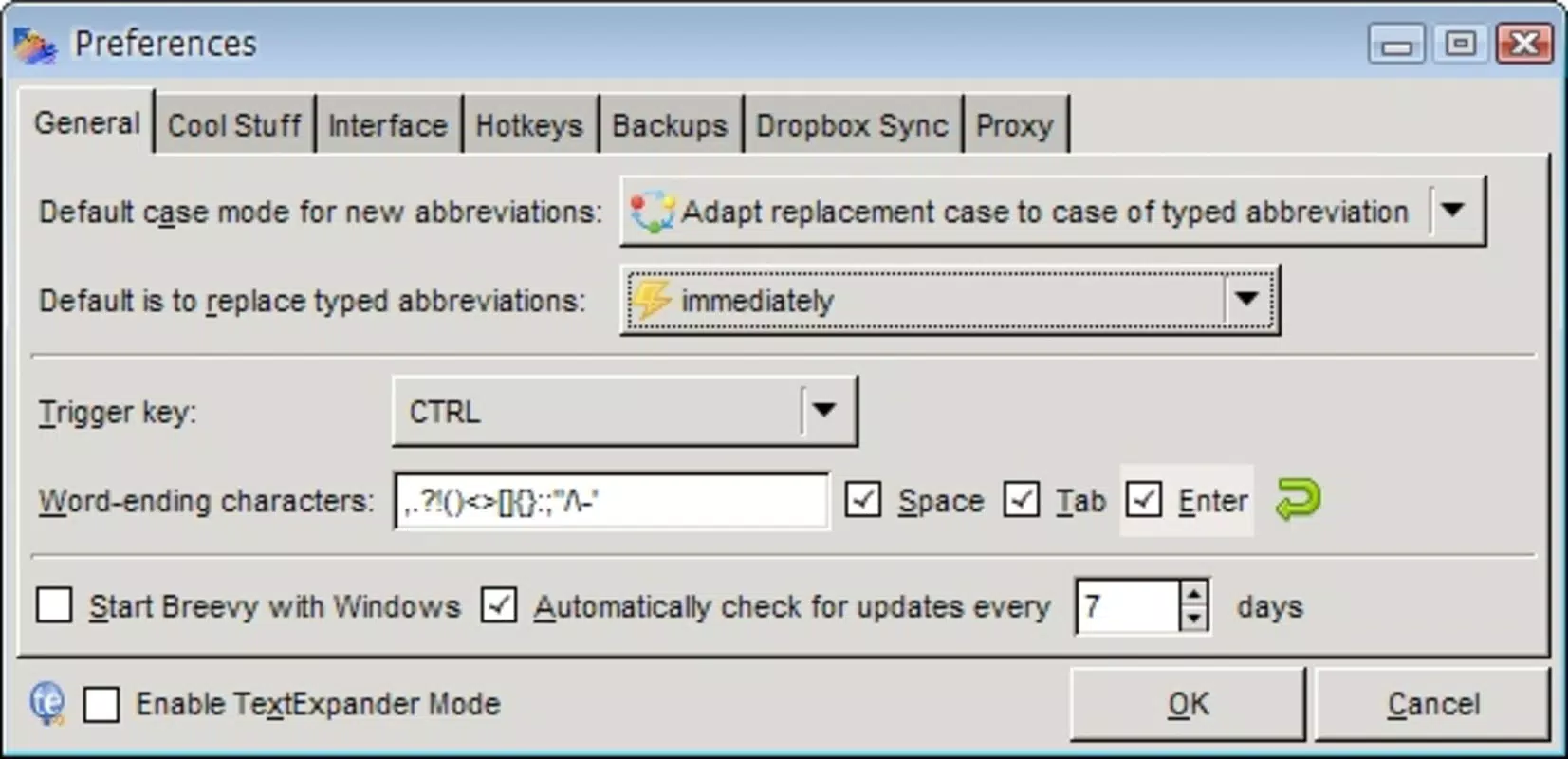
sigfollowed by the trigger key combination automatically expands to a full email signature. - Customizable Key Combination – Each abbreviation can be assigned a unique key combination, allowing users to select the most intuitive and comfortable shortcut based on their typing habits.
- Time-Saving Efficiency – By replacing lengthy text with a few keystrokes, Breevy significantly reduces the time spent on repetitive typing tasks, especially beneficial in high-volume communication environments.
- Streamlined Workflow Integration – Once configured, abbreviations work seamlessly across supported applications, including email clients, word processors, and messaging platforms, without requiring manual intervention.
For instance, a customer support agent might set res1 to expand into a standard response about return policies, enabling faster and more consistent replies. Similarly, a writer could assign bio to insert a full personal bio with a single trigger. These real-world use cases highlight Breevy’s practical value in improving both speed and accuracy.
Interface, UX & Performance
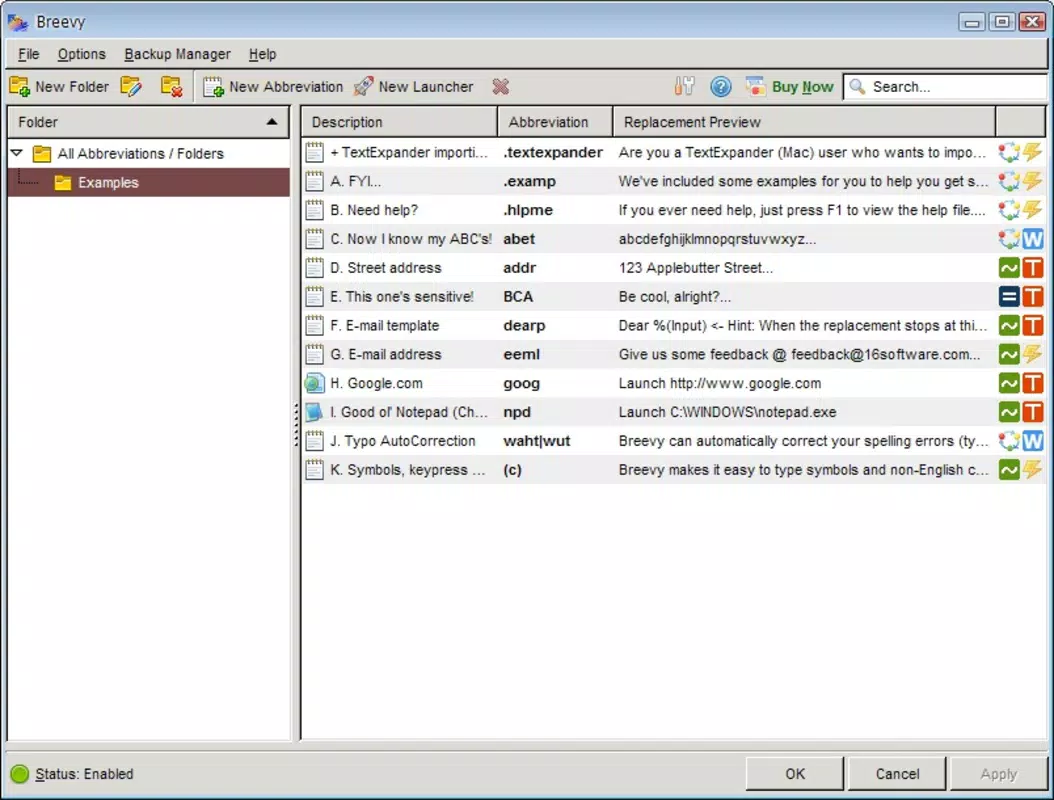
Breevy features a clean, minimal interface designed for straightforward configuration and management of abbreviations. The layout prioritizes ease of access, allowing users to quickly add, edit, or delete entries through a well-organized panel. Navigation is intuitive, with clear labeling and logical grouping of settings, reducing the learning curve for new users.
Although the developer did not list formal performance metrics, the app’s lightweight size of 4.5 MB suggests efficient resource usage. It is expected to run smoothly on modern Windows systems, with minimal impact on system responsiveness. The application operates in the background, activating only when the designated key combination is triggered, which contributes to its low overhead.
Responsiveness is maintained across different device categories, though specific compatibility details were not disclosed. Stability appears to be a priority, as the app functions reliably during text expansion without crashes or delays. Users can expect consistent performance when using abbreviations in various input fields, ensuring a frictionless typing experience.
Platform Compatibility & Technical Requirements
Breevy is designed exclusively for the Windows platform, supporting the latest versions of the operating system. The app has a file size of 4.5 MB, making it suitable for installation on devices with limited storage capacity. The software version is 1.0.0, indicating a stable initial release.
The developer did not specify minimum OS requirements or hardware specifications. Compatibility with older Windows versions, such as Windows 7 or 8.1, remains unconfirmed. Similarly, no information was provided regarding system architecture (32-bit vs. 64-bit) or required permissions.
Pros and Cons
Pros
- Lightweight design with minimal system resource usage
- Highly customizable key combinations for personalized shortcuts
- Efficient text expansion reduces repetitive typing effort
- Seamless integration into daily writing workflows
- Targeted solution for professionals handling repetitive text
Cons
- Platform limited to Windows; no support for macOS or mobile devices
- Price point of $19.99 may be considered high for casual users
- Developer did not provide detailed system requirements
- No built-in backup or sync functionality across devices
- Limited visibility into update frequency or future development plans
FAQ
Is Breevy safe to install on my Windows device?
Yes, Breevy is a legitimate productivity tool developed by its official team. As with any third-party application, it is recommended to download the software from the official source to ensure security and integrity.
Can I use Breevy on multiple devices?
Currently, the app does not offer synchronization across devices. Each installation must be configured independently on every machine where it is used.
Does Breevy work with all typing applications?
Breevy is designed to function across most text input fields and supported applications on Windows. However, compatibility may vary depending on the specific app’s security or input handling settings.
How often is Breevy updated?
The developer has not disclosed the update schedule. Users should check the official website for the latest version and release notes.
Is there a free version of Breevy available?
Breevy is available as a paid application with a one-time purchase of $19.99. There is no free version or trial period mentioned in the current release.
Final Thoughts
Breevy stands out as a focused and efficient tool for users seeking to accelerate their typing workflow through intelligent text expansion. Its ability to convert short abbreviations into full sentences with customizable triggers makes it a powerful ally for professionals in fast-paced environments. While its Windows-only availability and one-time cost may limit appeal for some, the app delivers clear value to those who type repetitively and value precision.
For content creators, customer support specialists, and writers, Breevy offers a practical way to reclaim time and reduce errors. Its lightweight nature ensures it won’t slow down your system, and its intuitive design makes setup straightforward. If you're looking for a reliable, no-frills productivity enhancement, Breevy is a compelling choice.
Download Breevy now


